How Training Works
Practice finding the best move in real game scenarios
What is Sente Training?
Sente presents you with real positions from actual Go games. In each scenario, a player made a mistake - your job is to find the better move that they missed.
Every position has been analyzed by KataGo, one of the strongest Go AIs, so you get accurate feedback on your choices.
How a Session Works
- Choose your phases - Select which parts of the game you want to practice (early, middle, or late game)
- Find the best move - Look at the position and click where you think the best move is
- Get instant feedback - See how your move compares to the AI's recommendation
- Learn from mistakes - Review the territory analysis to understand why certain moves are better
Scoring
Your score is based on points lost compared to ideal play. For each scenario, the AI knows the best possible move — if you play it, you lose 0 points. Any other move is scored by how many points worse it is than the best move according to KataGo's analysis.
Your session tracks your total points lost and average points lost per scenario. The goal is to minimize both — a lower score means you're playing closer to the AI's recommended moves.
What is a Blunder?
Each scenario has a set of top candidate moves that KataGo analyzed in depth. If you play a move that isn't among these analyzed candidates, it's marked as a blunder. Since the move wasn't considered strong enough for deeper analysis, the score given is 10% worse than the worst analyzed candidate move (rounded up, minimum 1 point).
Understanding Feedback
After each move, you'll see:
- Points lost - How much worse your move was compared to the best move (0 = perfect!)
- Territory overlay - Visual display showing which areas each player controls
- The best move - Where the AI thinks you should have played
Training Views
Once you submit your move, you can explore the AI analysis through three different views:
Answer Grid
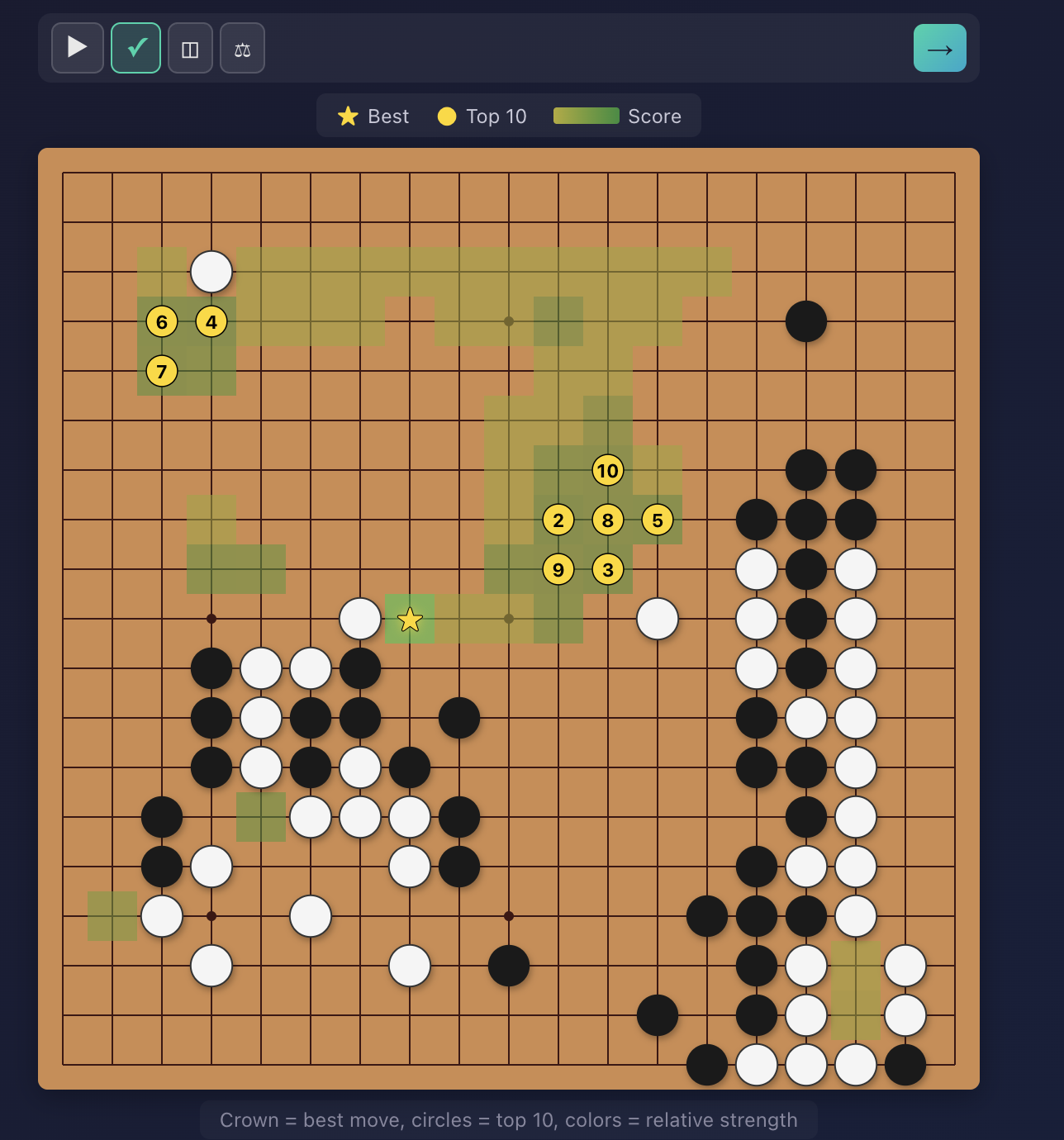
Shows the top candidate moves on the board. Each move is colored on a gradient from green (best) to red (worst), so you can instantly see which areas of the board had the strongest options. The top 10 moves are marked with numbered icons showing their rank.
Territory Control
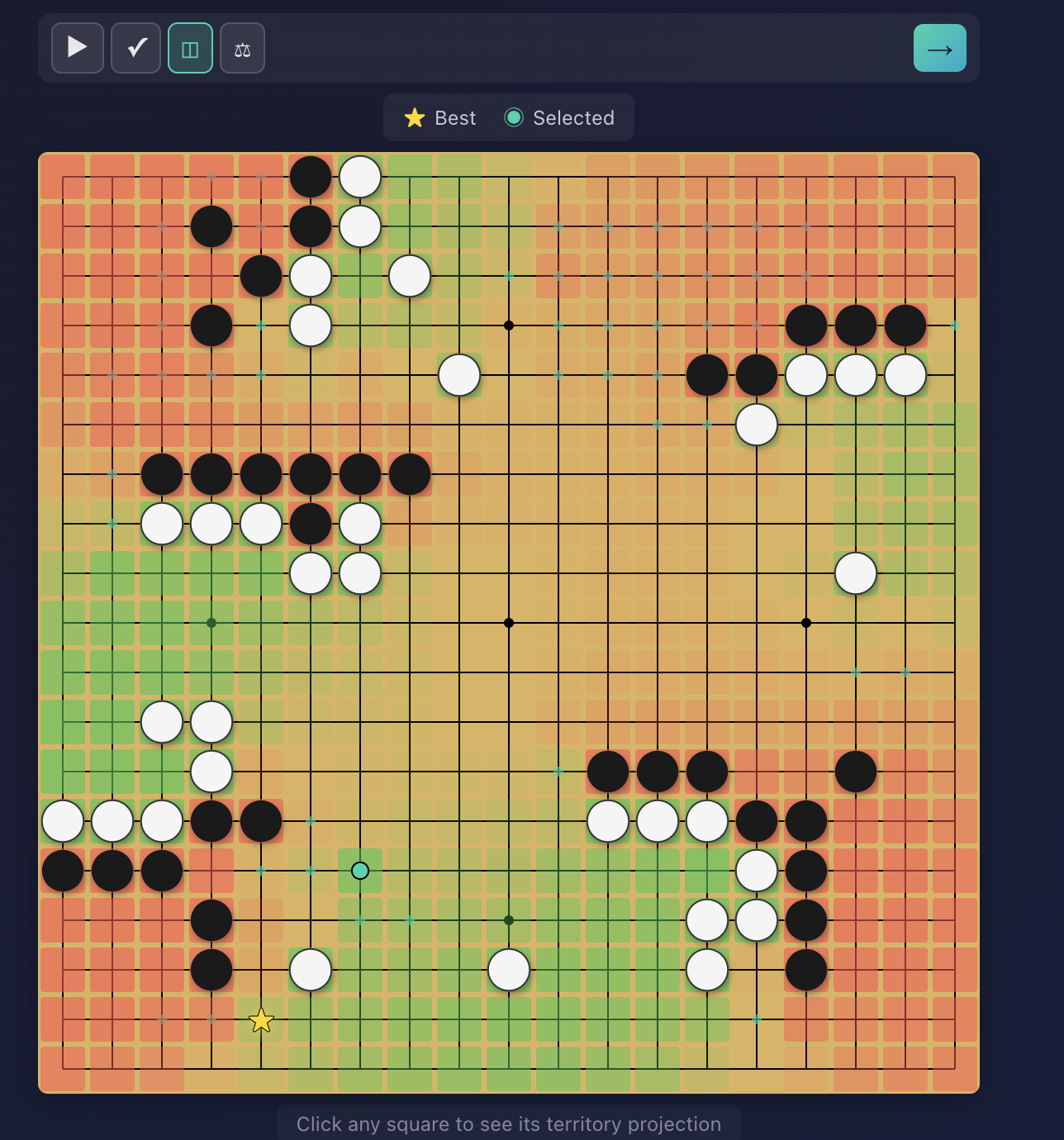
Click on any candidate move to see the AI's estimate of territory control if that move were played. The board fills with a color overlay — areas controlled by Black vs White — so you can understand how each move shapes the balance of the game.
Comparison View
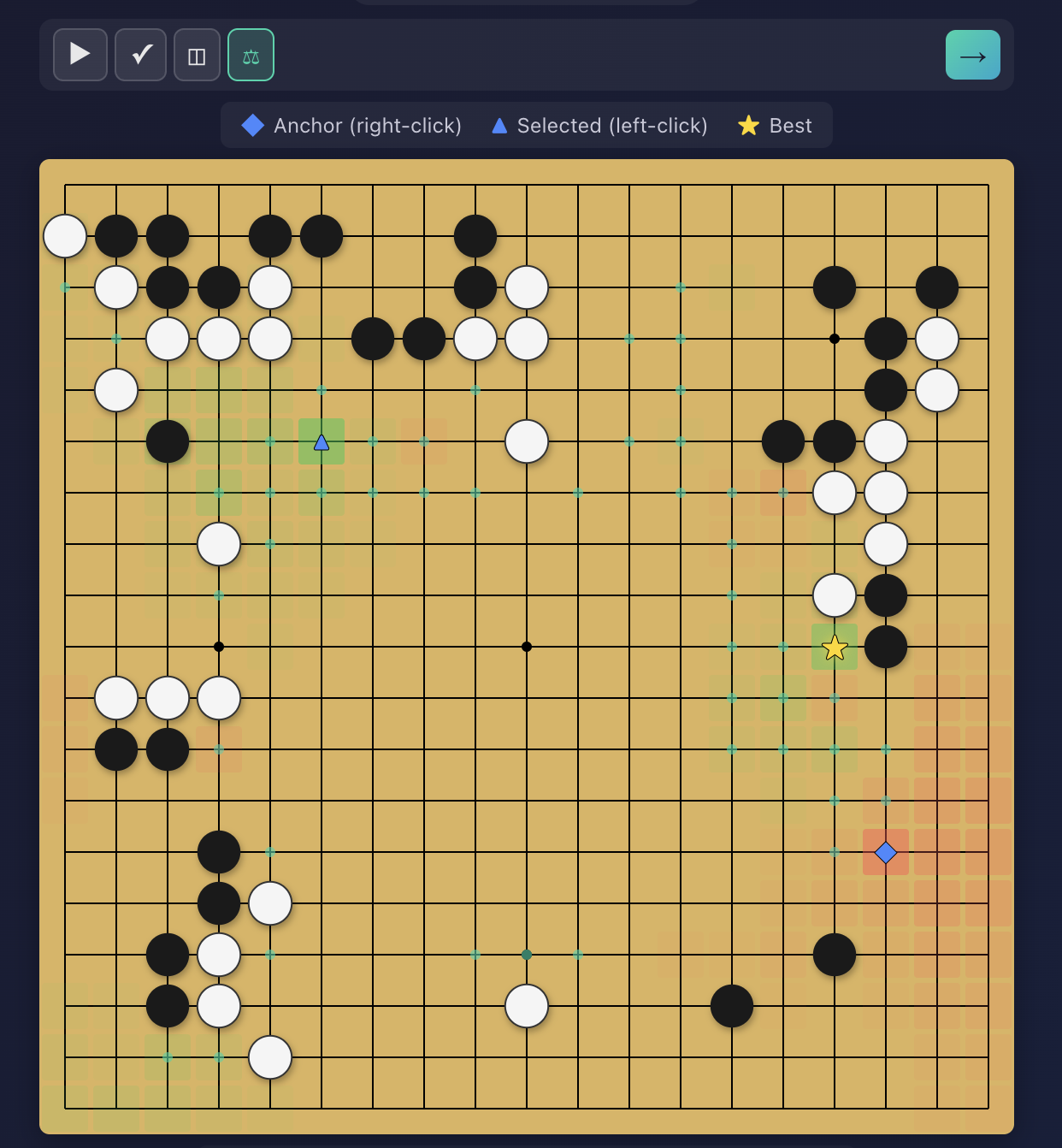
Select two candidate moves to see them side by side. The board shows the difference in territory control between the two moves, highlighting exactly where one move gains or loses territory compared to the other. This is especially useful for understanding why the AI prefers one move over another.
Game Phases
You can focus your practice on specific parts of the game:
- Early game (Fuseki) - Opening moves, corner approaches, and framework building
- Middle game (Chuban) - Fighting, attacking, defending, and reading
- Late game (Yose) - Endgame technique and precise counting